






I have surprised myself how often I make Google Docs at docs.google.com, Google Sheets at sheets.google.com and Google Slides at slides.google.com. One advantage to going to the product website rather than creating the new doc directly in Google Drive is the ability to choose from attractive templates ready to use.
Google Forms
Templates
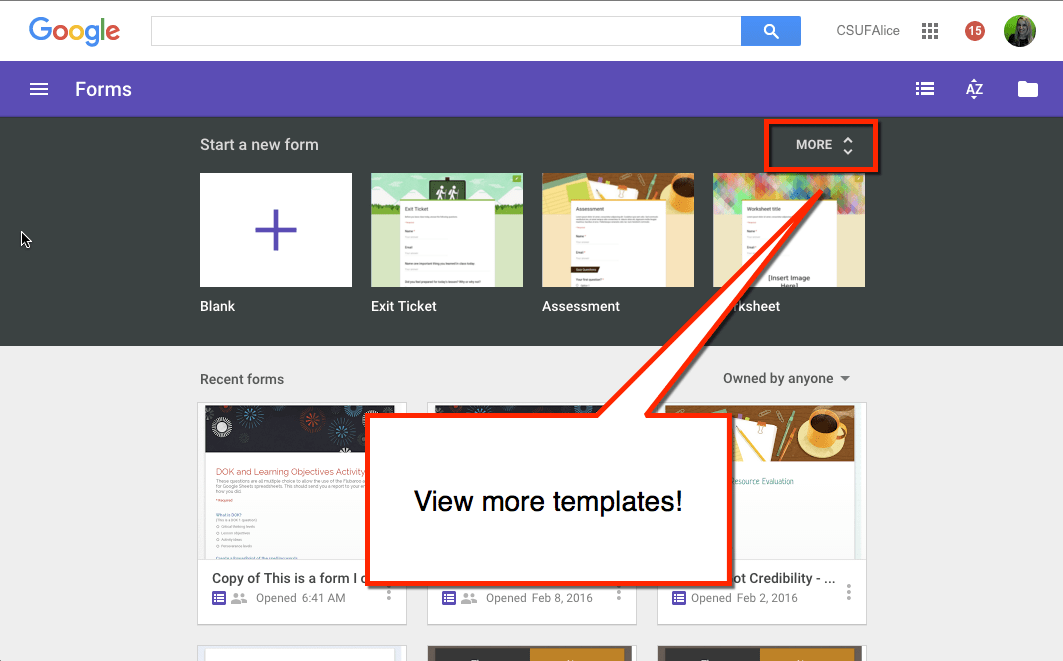
Quickly create an exit ticket or assessment by clicking on the template icon at forms.google.com. Click on “More” to view additional templates. The templates can give you an idea of ways you can use Google Forms and are completely customizable.






2 thoughts on “Google Forms Templates”
So I am not sure if this can be done, but we do A program called CAT, its like lunch detention but more for students who need extra time to catch up on work. Right now we are using paper forms but we would like to go digital.
I am trying to create a form that the teachers can type in daily who is going to CAT, but I
A) would like the CAT teacher to be able to write comments back to the teacher
B) is there a way it could go into separate Google sheets like by Day? Or would it be better if it was sent out weekly with Places to write the dates? So I could create a template but then just send it out at the beginning of the week.
When the kids sign in if they select from a multiple choice their teacher you can use a mail merge or Autocrat to send a message back to the teacher.