

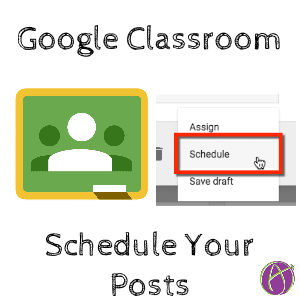




Note: This post contains screenshots from the old version of Google Classroom. This works essentially the same except that you will now go to the Classwork page to click on the “Create” button. In the upper right, click on the arrow to the right of the “Assign” button to choose “Schedule”
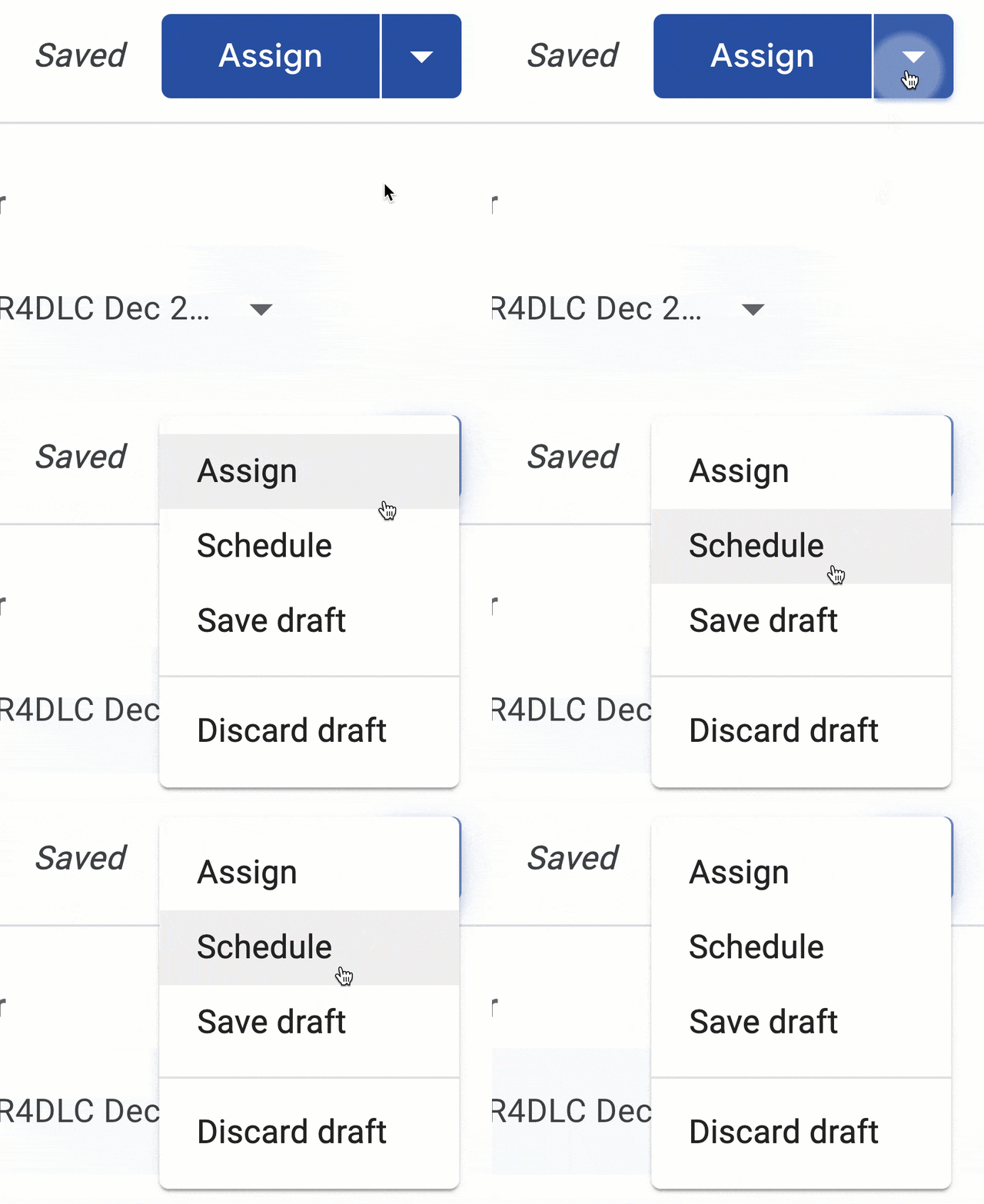
Schedule
If there was any doubt as to if the Google Classroom team listens to teacher requests, today’s new feature update proves that they do! Teachers have been clamoring for, and now can, scheduling Google Classroom assignments.
Create Post
Create an Assignment, Announcement or Question in Google Classroom. Click on the plus icon in the bottom left of Google Classroom to add your post.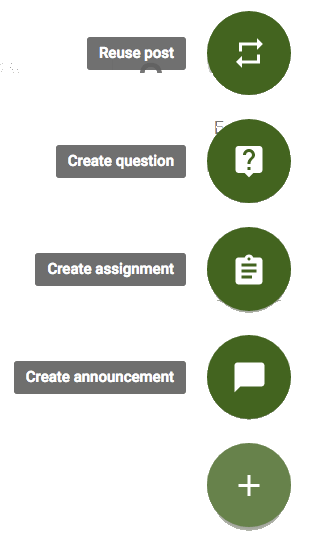
Arrow
Create your post and locate the arrow next to the blue “Assign” button.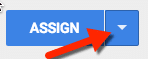
Google Classroom Schedule Assignment
Clicking on the arrow provides the choice to “Schedule” the post. Choose the middle option from the drop down menu.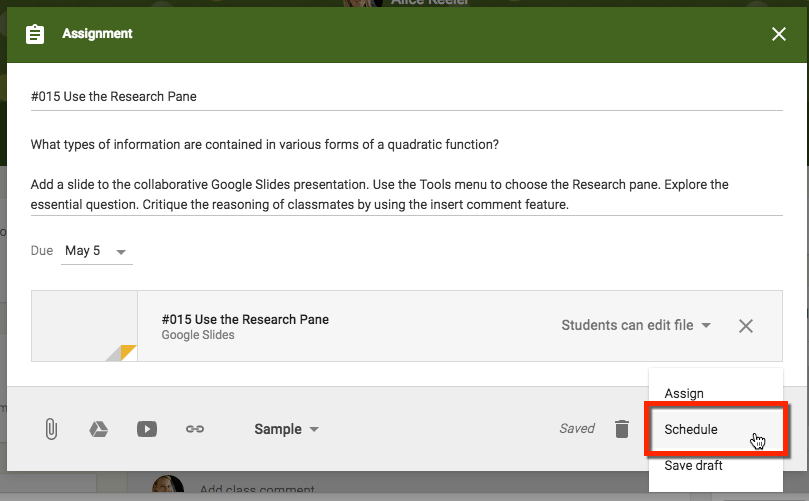
Schedule
Change the date and time to reflect when you want your assignment to post to the Stream. The time is editable so you can schedule it for the exact minute you want it to post.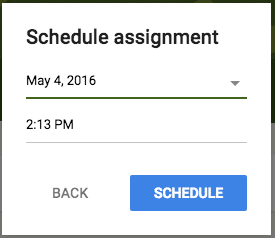
Multiple Classes
If your assignment is selected to post to multiple classes it will post to all of your classes at the same time. If you want to have the assignment post to each class at separate times you will need to “Reuse post.” Remember to UNCHECK the “Create new copies of all attachments” checkbox. The beauty of using Google Docs is there is only one version and it is always current. Creating copies makes a mess of your Google Drive.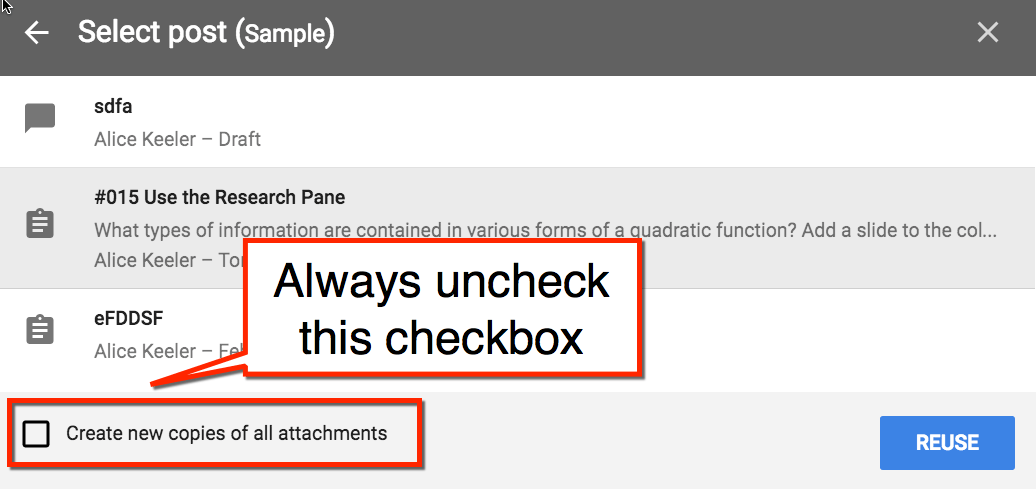









23 thoughts on “Google Classroom: Schedule That Assignment”
Ran into a small snag I wonder if you could lend some insight/workflow direction. With a draft that has a due date of tomorrow, the schedule option doesn’t seem to be an option. Even when I take out a due entirely it seems to not like it. The only way I can seem to make it work is if I start with reuse post first even though it never actually posted. Other drafts that have expired due dates seem to be ok. Thoughts.
Your district does not have rapid release turned on. Wait a couple of weeks.
Hi Alice! I’m hoping you can help me. Sometimes, like right now, “schedule” is grayed out and it won’t let me schedule my assignment. What am I doing wrong?
You have it selected for multiple classes.
Is it possible to schedule a post for ALL classes at the same time?
You can only post to at most 10 classes at a time I think.
Hi, great post! But I’m experiencing problems with setting a time for a scheduled assignment. Everytime I put in my numbers, the timer resets to 08.00…? Any ideas?
I do not have this issue. Not sure what would cause that.
I am experiencing the same issue. I set the assignment and went back to edit and set a time for submission. The time says “optional”. When I type a time it automatically sets to 11.59 PM. (Unlike the date where it offers you a calendar, it doesn’t allow you to select an option from a clock.) So…any ideas?
The time is NOT optional, it is 11:59 which is messed up. We should not have KIDS (or anyone… where is the pedagogy behind midnight due dates?) turning in things at midnight. Please be mindful and intentionally set the time in Google Classroom IF you set a due date. Other choice is to put the due date in the description rather than set it in Classroom.
Why is “Schedule” not highlighted as an option when I make a new assignment? I am able to “Save Draft” or “Assign” but cannot choose “Schedule”.
Because you’ve already assigned it or are assigning it to multiple classes.
Is it possible to have an assignment in google classroom no longer available to students after the deadline? As of now, students are submitting it after I’ve graded and saying, “I turned that in”. Since it only says, “submitted late” I cannot argue with them.
You can argue with that. You reviewed work, it wasn’t there. End of discussion. That being said, I recommend leaving a note in Google Classroom when work is not submitted saying “I reviewed work on Tuesday at 3pm and your work was not available.”
great site and thread. I scheduled an assignment and related materials, and now want to change the date of the scheduled posting, but can’t figure out where to find it.
Hello, I have an assignment I “scheduled” realized I made a mistake on the dates and need to change the scheduled time….I do not see an area that lets me edit the date and time? Do I really need to delete the assignment and start over?
You can edit the time. It’s a stripe along the top of the edit screen. Click on the time to edit.
Alice – Disregard my previous query – I figured it out!
Just wondering if you can get a link to a scheduled assignment, if you wanted to include it in a hyperdoc before it is assigned.
You can not
Is there any way to have google classroom not let a student move on to the next assignment until they have completed the previous one?
No